Web & Git
HTML, CSS, JavaScript and Git.
Overview
In this project, I will share how I went about building this site, the HTML, CSS and JavaScript I used to do so, the UI/UX considerations I took when planning out the site's layout and style, and lastly how I used Git for version control and GitHub Pages to host it all, with a custom domain.
Web Development
This Website
I built this website using raw HTML and CSS rather than a web framework or something like a frontend website builder. This choice allowed me greater customisation and much more direct control over elements and styling than if I had used something a bit more abstract, like for example, Wix, Squarespace and maybe WordPress. Using just raw HTML and CSS also manages to make the site quite minimal and performant, which is somewhat of a priority that I obsess over and enjoy aiming to achieve.
HTML
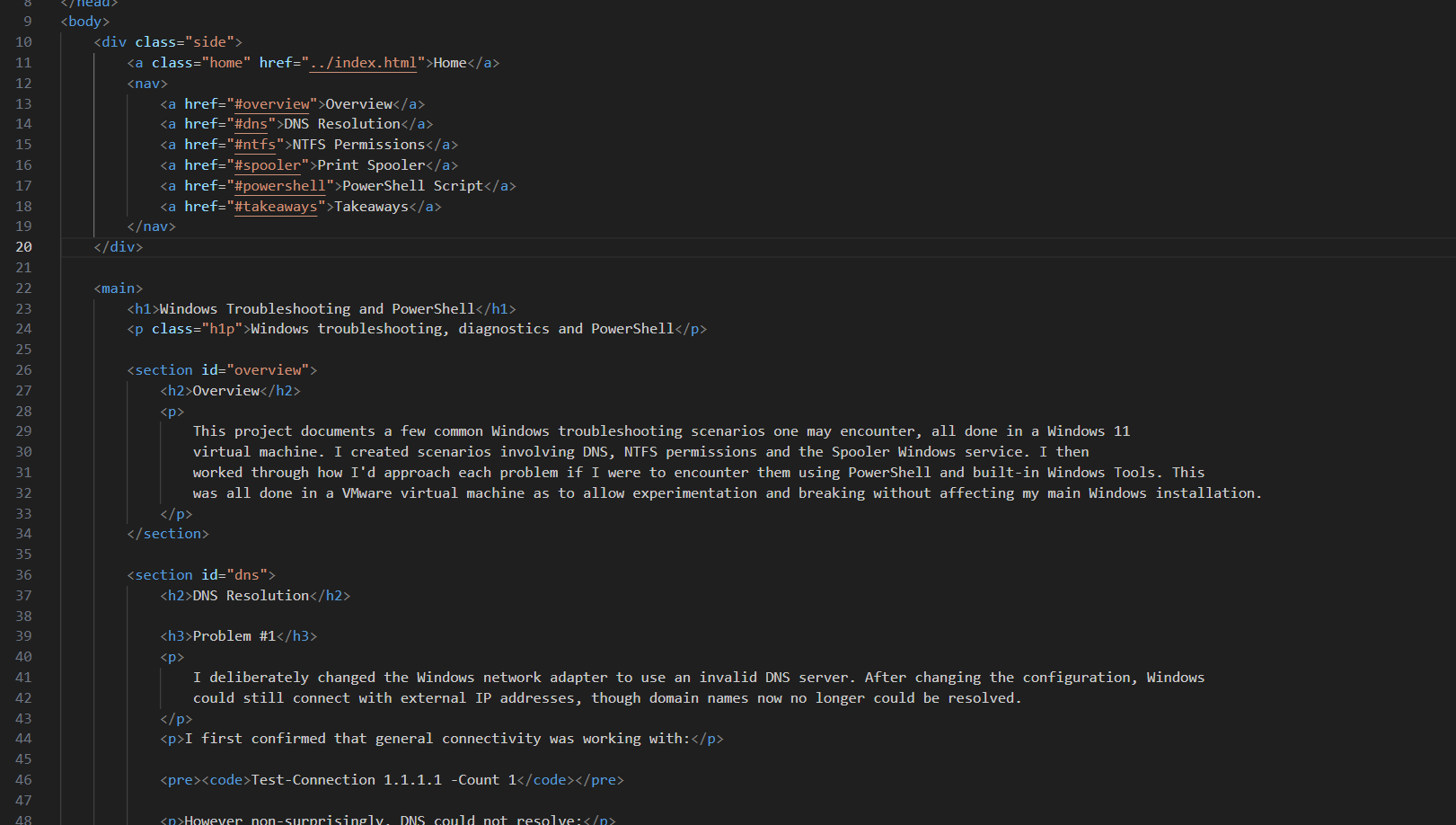
To organise my content I used elements such as <section> to segment off sections,
<main> to keep my main content separate from the navigation
(<nav>). I used <pre> and <code> together
to display code blocks, with just <code> alone for inlining a monospace font. And lastly used
<p> for paragraphs and content along with <img> for media.
CSS
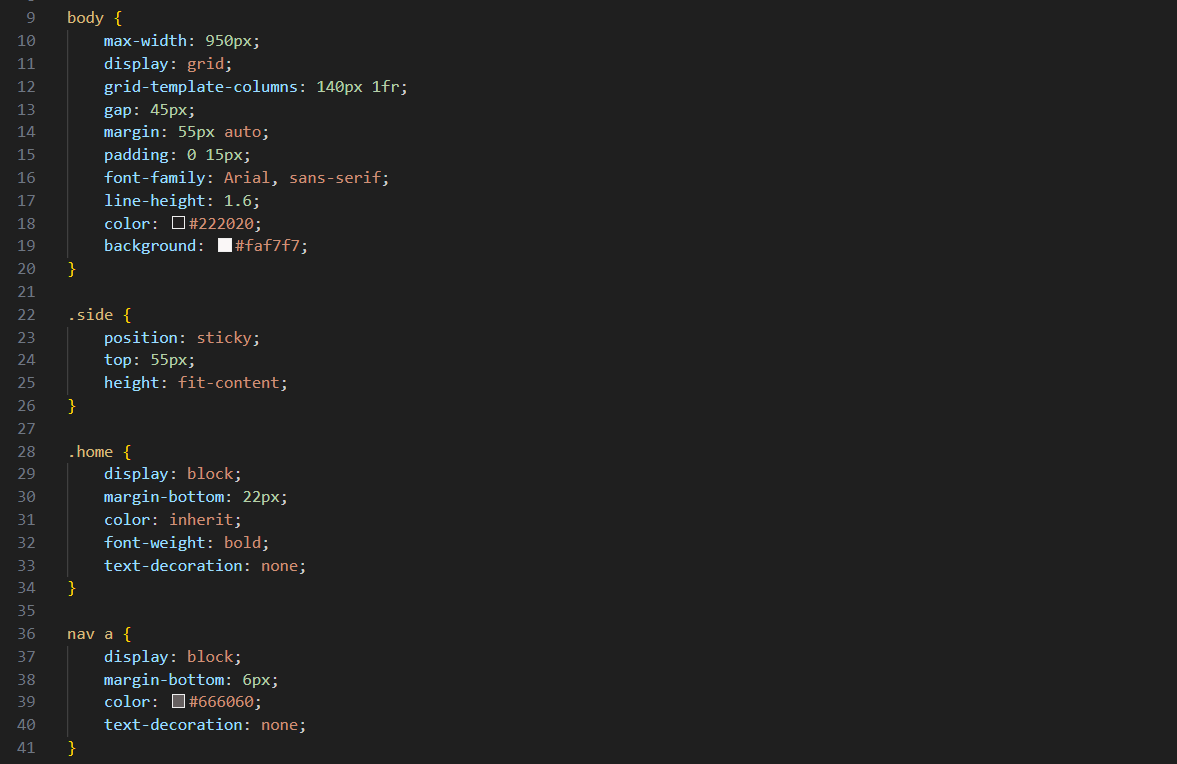
On the index page for the project cards, I styled the normally inline
<a> hyperlink element to act as a block element,
giving me full control of its padding, margin and border.
On my project pages but unlike the index, I used
a grid layout allowing me to create a sticky navigation sidebar with anchorlinks.
The rest of my CSS was mainly adjusting the padding and margin, adding borders and tweaking colours. However I tried to only touch the bottom margin, as to keep things somewhat predictable and easy to reason about.
JavaScript Commit Tracker
Near the bottom of my index page, I made a tracker which provides how long ago my latest commit to the site was, along with it quite nicely doubling as a hyperlink to the repository it's tracking.
To get the data needed for this script, I sent a request to GitHub's REST API to retrieve the
latest commit data. After I had the JSON, I ran a callback function to parse it into something
JavaScript can use, then used another callback function that received that data,
accessed the commit date,
and created a Date object from it for later manipulation:
fetch("https://api.github.com/repos/jmhooton/portfolio/commits?sha=main&per_page=1")
    .then(response => response.json())
    .then(commits => {
        const commitDate = new Date(commits[0].commit.committer.date);
    })
Date Conversion
Next I needed to convert the date into days, hours and minutes. I used the Date.now() method to get the time
in milliseconds,
I subtracted my commitDate from that value to get the current time elapsed since
my latest commit and stored that in a variable.
However the value I'm left with is still unreadable, so I needed to do a bit of division with
modulo operator usage, to convert that number into something a bit more friendly for (most) humans.
const resultMinutes = Math.floor((Date.now() - commitDate.getTime()) / 60000);
const days = Math.floor(resultMinutes / 1440);
const hours = Math.floor((resultMinutes % 1440) / 60);
const minutes = resultMinutes % 60;
Conditionals and DOM Manipulation
After I had all the necessary variables assigned, I used conditional logic to determine which values should
be displayed. The first two branches check whether days or hours contains a value that's greater than zero,
if true, the DOM will be edited with that value. The edit would also include
any other smaller values further down the conditional ladder and be additionally
wrapped with surrounding text for better legibility.
const lastCommit = document.getElementById("lastcommit");
if (days > 0)
    lastCommit.textContent = "Last commit " + days + "d " + hours + "h " + minutes + "m ago "
else if (hours > 0)
    lastCommit.textContent = "Last commit " + hours + "h " + minutes + "m ago "
else
    lastCommit.textContent = "Last commit " + minutes + "m ago "
The time arithmetic and DOM edit are encapsulated in a function,
which is then subsequently called every 60 seconds via setInterval(), allowing
the DOM to update without requiring any more API requests.
setInterval(time, 60000);Here is the full tracker:
fetch("https://api.github.com/repos/jmhooton/portfolio/commits?sha=main&per_page=1")
    .then(response => response.json())
    .then(commits => {
        const commitDate = new Date(commits[0].commit.committer.date);

        function time() {
            const resultMinutes = Math.floor((Date.now() - commitDate.getTime()) / 60000);
            const days = Math.floor(resultMinutes / 1440);
            const hours = Math.floor((resultMinutes % 1440) / 60);
            const minutes = resultMinutes % 60;

            const lastCommit = document.getElementById("lastcommit");
            if (days > 0)
                lastCommit.textContent = "Last commit " + days + "d " + hours + "h " + minutes + "m ago "
            else if (hours > 0)
                lastCommit.textContent = "Last commit " + hours + "h " + minutes + "m ago "
            else
                lastCommit.textContent = "Last commit " + minutes + "m ago "
        }

        time();
        setInterval(time, 60000);
    });
UI/UX Design
For this website, my general aim was to mimic clean, sleak documentation/wiki looking pages while boasting a very low friction home page to access them. Reducing as much noise as possible with all focus on content, and minimising the risk of possible confusion of where to click next was my main priority.
What I did
I chose a light colour for daylight visibility but tinted it somewhat red to be softer on the eyes than a pure #ffffff white, along with giving subtle contrast between the card, code blocks and background. I also created a contrast between header text and supporting text, to easier guide the eyes to more important elements and lessen visual clutter. The formatting of index page and general header elements was chosen to be left-aligned, as I find centre-aligned headers a little less appealing on less complex websites like this.
In general I tried to keep each <section>'s bottom margin 55px for, 1. Better spacing between major sections with easier mental
compartmentalisation and, 2. When clicking a sidebar-anchorlink: if the page has enough length below the section, allows the previous section's bottom margin to
give just enough buffer to hide its text or media;
creating really clean anchorlink destinations.
Git & GitHub
I used Git all throughout the development of the website to keep track of different versions and changes to it. Instead of normally uploading changes directly to a hosted copy of the website, I worked from a local repository and committed as I changed and completed different parts of the website.
Here are some basic Git commands I was using:
git status
git add .
git commit -m "update site"
git push
git status shows you the current state of the working tree and staging area, showing things like staged, unstaged and untracked files.
git add . stages unstaged changes located in the current working directory and subdirectories, excluding directories and files in your .gitignore.
git commit creates a new commit from the staged changes and updates Git's history, with a message between the quotes in: -m "", to annotate your commit.
And lastly git push (after setting up a remote) pushes the commits to a preconfigured remote repository, and for my case, that would be GitHub.
GitHub Repository
After creating, staging and committing changes locally with Git, I used a hosting service to host my repository. I decided to use GitHub for this purpose as they provide free and easy website deployment through GitHub Pages. However GitHub is just one of the many repository hosting services I could have used, as there are hosts such as GitLab, Codeberg, sourcehut among others.
GitHub Pages & Custom Domain
After getting my repository onto GitHub, I utilised GitHub Pages so my website would automatically get deployed with my changes each time I pushed my updated repository to GitHub's servers. GitHub Pages takes the static HTML, CSS and JavaScript and serves them as a public website for anyone to be able to visit.
If you don't touch anything domain related on GitHub, by default it will provide a domain that will look like: "YOURNAME.github.io/YOURREPO". However I instead configured my site to use the custom domain "jmhooton.com" I acquired through a domain registrar. To do so, I had to configure the domain's DNS records to point towards GitHub's Pages service, allowing me to continue hosting my website on GitHub but sporting a different URL.
Takeaways
Building and maintaining this website gave me a decent bit more hands-on experience with HTML, CSS, JavaScript than I had previously. It revitalised my previous knowledge and increased my comfort and familiarity with the languages substantially. Learning more about utilising APIs via my tracker script and increasing my understanding of JSON was very insightful. I also feel a lot more experienced using Git and got more familiar with how hosting services like GitHub work.
Overall I feel a lot more confident with my experience in web development and do hope to exercise and expand on my learning further in the future.